Posts

Vagrant "Fuse Device Not Found" Error Fix

 You may come across this error while using Vagrant in WSL on Windows. It's very confusing and the Google results are not particularly helpful with fixing this specific error fuse: device not found, try 'modprobe fuse' first Cannot mount AppImage, please check your FUSE setup. You might still be able to extract the contents of this AppImage if you run it with the --appimage-extract option. See https://github.com/AppImage/AppImageKit/wiki/FUSE for more information open dir error: No such file or directory The cause of this, at least at the time of writing, is that newer versions of Vagrant (specifically 2.2.19) is broken in (some) cases, and the solution is to use an older Vagrant version (specifically 2.2.6 works for me). Download Links: https://releases.hashicorp.com/vagrant/2.2.6/  Windows MSI: https://releases.hashicorp.com/vagrant/2.2.6/vagrant_2.2.6_x86_64.msi Reference (my project): https://github.com/Marshall-Hallenbeck/red_team_attack_lab/blob/main/docs/windows_se...

Virtualbox VBoxManage startvm Error Fix

 If you ever come across an error like this: There was an error while executing `VBoxManage`, a CLI used by Vagrant for controlling VirtualBox. The command and stderr is shown below. Command: ["startvm", "f71acfb8-5456-4fa3-85f8-e1a7d744f416", "--type", "gui"] Stderr: VBoxManage.exe: error: Failed to get device handle and/or partition ID for 0000000001688b80 (hPartitionDevice=0000000000000c29, Last=0xc0000002/1) (VERR_NEM_VM_CREATE_FAILED) VBoxManage.exe: error: Details: code E_FAIL (0x80004005), component ConsoleWrap, interface IConsole The cause is that Windows has weird virtualization (no surprise) and requires you to disable Hyper-V Run these commands to do so (this will reboot!): bcdedit /set hypervisorlaunchtype off DISM /Online /Disable-Feature:Microsoft-Hyper-V reboot

Google Cloud Authentication "activate-service-account" Problem Refreshing Auth Token

I just ran into this issue when adding a Google cloud auth key via the command line threw out an error about the JWT token being invalid, even though it was just created. The command I was running was: gcloud auth activate-service-account --key-file auth.json The error I was receiving was: ERROR: (gcloud.auth.activate-service-account) There was a problem refreshing your current auth tokens: ('invalid_grant: Invalid JWT: Token must be a short-lived token (60 minutes) and in a reasonable timeframe. Check your iat and exp values in the JWT claim.', {'error': 'invalid_grant', 'error_description': 'Invalid JWT: Token must be a short-lived token (60 minutes) and in a reasonable timeframe. Check your iat and exp values in the JWT claim.'}) Which doesn't really tell you much, other than there's something wrong with the token. HOWEVER, there isn't actually anything wrong with the token! The issue was that the Linux VM I was on had its time mes...

Enable Copy Paste Globally in ESXi

If you are like me and constantly copy paste things between your host machine and VMs, but don't want to bother enabling copy paste each VM in your ESXi configuration, here's how you do it. First, enable SSH access, connect to your ESXi host, and edit the "/etc/vmware/config" file vi /etc/vmware/config Now add in the following lines: vmx.fullpath = "/bin/vmx" isolation.tools.copy.disable="FALSE" isolation.tools.paste.disable="FALSE" isolation.tools.setGUIOptions.enable="TRUE" To take effect right away, reboot the ESXi host.

How to Unfollow Blogs or "Reading List" on Google [Non-Technical]

Image
This is a very non-technical post, but I could not find ANY information about unfollowing blogs through Blogger without directly going to the blog and clicking a bunch (which from my point of view is INCREDIBLY annoying to say the least) so I thought it might help a few people out. I had this problem that I somehow had a ton of random blogs followed but didn't feel like going to 100+ blogs and unfollowing them individually. After a lot of searching I finally came across a very random post that would not intuitively come up via a search engine.

[2013 Version] Starting a Pentesting Lab [How-To/Linux/Windows]

Image
Recently I bought a gaming computer with some of the best specs out there (i7, gtx670, 16gig ram, ssd, etc) and decided to finally set up my own Pentesting lab so I can practice breaking and securing "real" boxes of my own. My current setup consists of my router connected to my apartment's WAN using DHCP, which issues private DHCP leases to the connected boxes on my network. I have a Windows 7 laptop of my own, a Windows 7 desktop host machine running VMs, and a Ubuntu 12.10 server for all my main Linux needs (I have SSH set up so I can access this box from work and other places). My friends also connect to this network via Wifi, so there are random Win7 and OSx computers connected to it. As for my virtualized boxes, I have Windows XP (different SPs), Windows Server 2003, 2008, and 2012, Metasploitable 2, DVL (Damn Vulnerable Linux), BackTrack5R3 (I hack from this box), and a few other exploitable machines. I will be setting up a Windows Vista and a couple other *nix...

Hacking Metasploitable #1: Introduction & IRC Hack [Metasploit/Linux/Exploit/How-to]

Starting today, I will start releasing how-tos on hacking the Metasploitable distro of Linux released by the creators of Metasploit in which I will go through how to determine if a system is exploitable, how to use Metasploit, how to load modules and run exploits, and what to do once you have exploited a system. I hope these posts, starting with this (#1), teach the readers the important parts of using Metasploit as well as the basics of Pentesting and exploitation. This is by no means a thorough series on exploitation, but a way to get basic users' hands wet in the world of exploitation and hacking.

OverTheWire Wargame "Natas" Level 5 [How-To/Web]

Image
So we cracked Level 4  with some knowledge of HTTP headers and requests, and used a cool little app to help us out. Now we are on Level 5 , and after logging it it presents us with a weird page: Well wait, didn't we just log in? Why does it say we aren't?

OverTheWire Wargame "Natas" Level 4 [How-To/Web]

Image
So Level 3  required a bit more knowledge of web servers and how searches parse them, but we got through it and are now on Level 4 . When we load up this level, we are welcomed by the following error: So it can see where we are coming from, and it doesn't like it.

OverTheWire Wargame "Natas" Level 3 [How-To/Web]

Image
After breaking Level 2  with some knowledge of how web servers hold their data, we move on to Level 3  which presents us with the same page as level 2:

OverTheWire Wargame "Natas" Level 2 [How-To/Web]

Image
So Level 1  wasn't that bad, either. Let's start Level 2  with the credentials that we found in the previous level. When we load up level 2, we are presented with this: Kind of ironic since there's text, right?

OverTheWire Wargame "Natas" Level 1 [How-To/Web]

Image
Level 0 was quite easy, for obvious reasons, so lets see if level 1 can be any harder. For this one, right clicking has been blocked, so we can't break it like we did with level 0... or can we?

OverTheWire Wargame "Natas" Level 0 [How-To/Web]

Image
OverTheWire  has released a new WarGame called "Natas" which focuses on web security, so I thought I'd try my hand at it and give some walkthroughs/how-tos as I beat each level. I'm still a newbie at websec, so deal with me! Going to the front page of Natas , it gives us the creds to get into level 0, so we need to find level 1's creds somehow.

Anonymous browsing with Tor [Windows/Linux/Firefox/Chrome]

Image
Anonymity online is one of the most important rights users have today and is a right we are slowly losing due to bills and laws being passed in governments worldwide, especially in the United States. Bills like SOPA/PIPA/ACTA and other unconstitutional and unlawful proposals are everywhere and the Internet is standing up against them, with massive sites like Wikipedia and Reddit blacking out their services to bring awareness.

Scripting in Perl! [Linux/Windows]

So currently at school I'm taking a Scripting in Perl class, and I'm in absolute LOVE with this language. It's easy to understand, has very good English-like syntax, simple array and hash usage, built in BASH support (for all you Linux freaks!), easy GUI creation, and so many other things that we haven't even gotten into. I'll be posting examples based upon things in my lab and lecture, including full programs, certain syntax, and other cool things. My teacher is very good and explains many things, so you have him at your disposal (meaning, ask me a question I don't know and I'll ask him, learn it, then explain it back to you!). Lets get started with basic syntax then get into all the fun stuff.

BASH scripting in Linux: an introduction [Linux]

I've already used a bit of BASH scripting in my Wifi sniffing tutorial, but the importance of scripting in BASH and other languages such as Perl, Ruby, and Python is so great I need to write separate posts for them all. Bash stands for "Bourne-Again Shell" (you will see "sh" stands for "shell" in many places). Named aptly for being the successor of the Bourne Shell, it came into use in 1989 and has since been a main scripting language for Linux and has many different options such as piping (seen before on my blog), variables and control structures (like all good languages), file reading, and the Unix "wildcard" usage by the asterisk (*) key. Enough about stuff I'm sure you guys don't care about, lets jump right in!

Installing and using Nmap [Linux/Windows]

Image
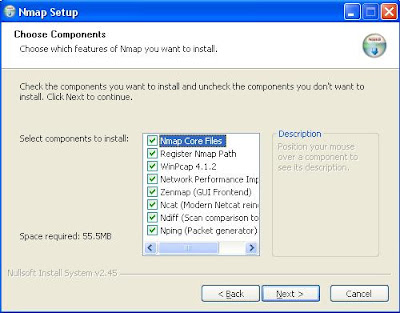
I'm afraid I've been very busy lately with a new job working overnights and figuring out all my college needs for moving in next month, but I've been doing a lot of research and reading on a few interesting topics so hopefully the next few posts will be very interesting. I've also updated a few of my posts including my wifi sniffing and securing your home network posts, so check those out! Today's post is about one of the most important netsec tools you will have in your arsenal. This program is called Nmap and is a free, open-source network auditing and security tool that we will use quite often while looking for vulnerabilities on networks. I will be explaining how to install and do some basic usage on Linux AND Windows (yay Windows!). I will be using my Backtrack 5 for Linux and Windows XP and hopefully get a Vista/Win7 part up as well.

Securing your personal home network [Information]

Image
Today's the 4th of July so I'm throwing out a quick post since it's been a few days, but I hope all my readers will be happy with another informational piece about securing your own network since, after all, that's what netsec is about! Below is a simple guide to getting the most security out of your network to protect your information and the users of your network's information. Setting up your router encryption: If you've read my WEP/WPA2 cracking guide , then you understand how fragile WEP encryption is. In my tutorial I also explained how to crack WPA1/2 passwords, but explained that the passkey must be in the dictionary that you specified whilst entering the "aircrack" command. When you're selecting which encryption to use, don't even consider WEP. It can be broken in 30 seconds on a half-decent computer. I've successfully broken WEP in under two minutes sitting in a bathroom on a small dell laptop. As for what TO use, c...

What is ARP? [Information]

Image
 Since I've explained now how to get Backtrack 5, if you're still not on Linux then go install it now before all the fun stuff starts! As for today's post I'll be explaining an important part about netsec: Address Resolution Protocol. Understanding ARP, or Address Resolution Protocol, is a key part in understanding how networks communicate.

[OLD] So you want to use Backtrack 5? [With Pictures/Windows/Mac/Linux]

Image
I'm seeing a lot of my viewers still use Windows, and since I haven't posted any Windows information yet (don't worry, I will!) I felt like posting a how-to on dual-booting (or single-booting) the penetration testing suite I use called Backtrack 5 would be very helpful to everyone viewing my blog. Here's a quick list of the things you'll need to install Backtrack 5: a USB stick with at least 2gigs of free space (mine is 8gigs), I would suggest 4gigs as a minimum. a computer to install it to (you can dualboot, or fresh install and overwrite a disk) an Ethernet Internet connection makes this easier in the updating stage.